Creating
The draft, the design, the thing you’re building.
A little app for your Mac’s menu bar
You sat down to make something. Three tabs later, you’re watching someone else make something.
Makebar shows how much of your day goes into creating versus consuming. A glance at your menu bar is all it takes.
72 hours free · $10 USD to keep · No subscription
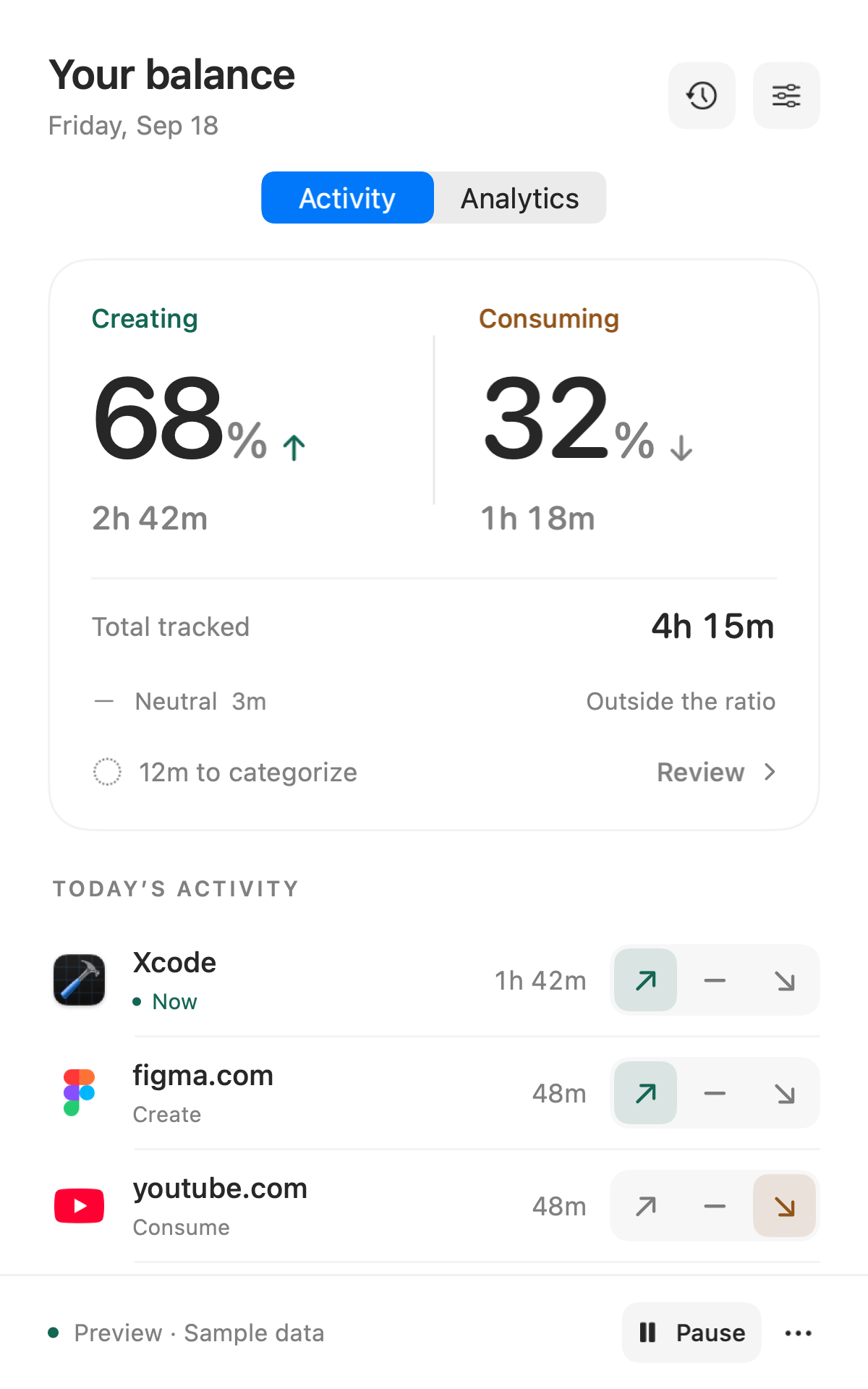
01 / THE DAILY GLANCE
Two percentages. The time behind them. And a little arrow showing which way you’re heading.
The draft, the design, the thing you’re building.
The feed, the video, the article you’re taking in.
The in-between. Count the time, leave it out of the ratio.
You choose the label for each app or website. Change it in one click. Makebar follows your rules.
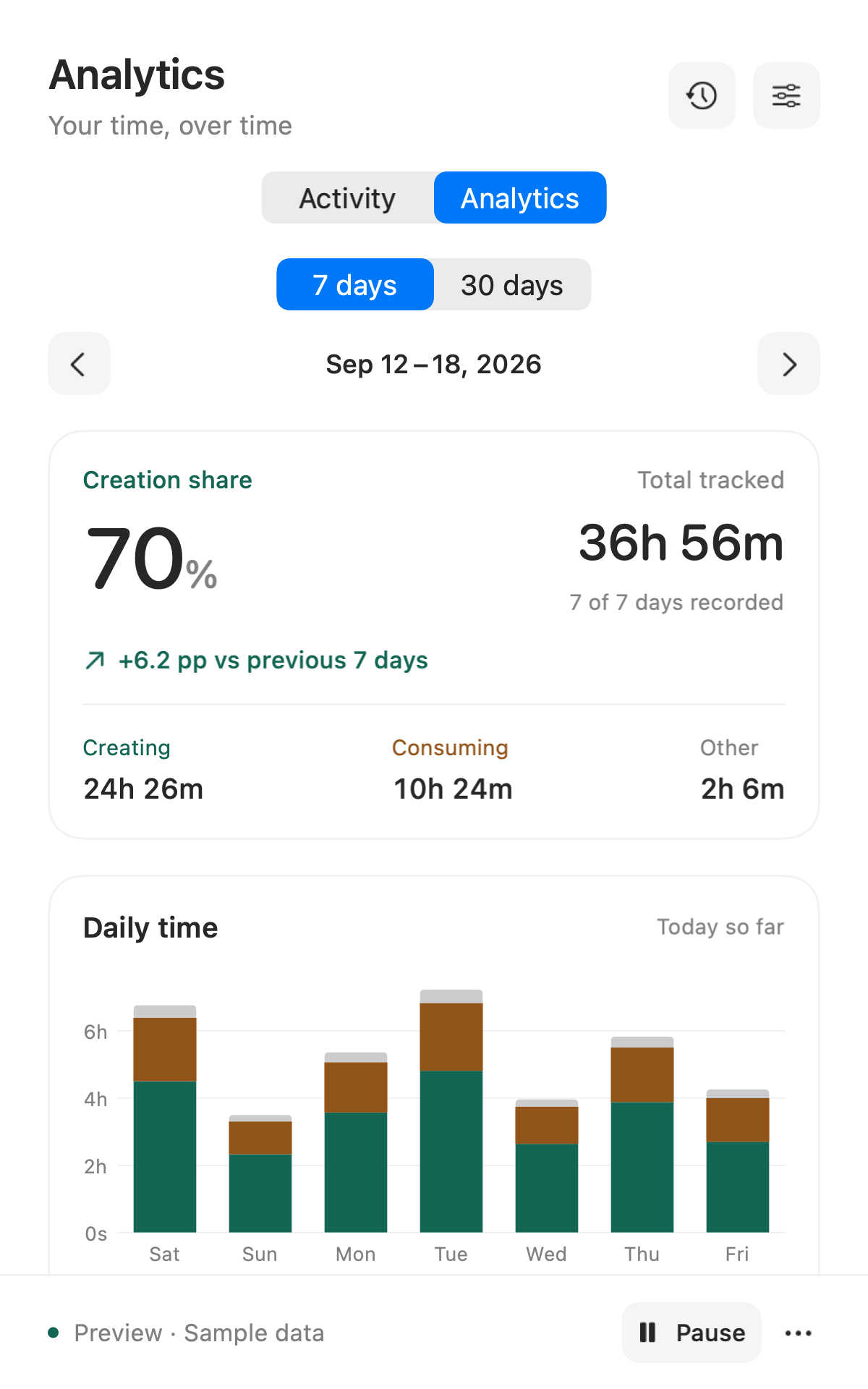
02 / THE BIGGER PICTURE
Look back over 7 or 30 days. See your creation share, how it changed from the previous period, and which apps got your time.
PRIVATE BY DESIGN
Apps, websites, labels, and history stay on your Mac. No activity uploads. No account to start.
Read the privacy details ↗SMALL, ON PURPOSE
Tracking pauses after five minutes without input, or when your Mac locks or sleeps. Apps appear after a minute, so quick detours stay out of the list.
03 / YOURS TO KEEP
Use every feature for 72 consecutive hours. No account, no card, no subscription waiting around the corner.
One payment. One person. Up to five Macs.
We’re preparing the first public release.
macOS 14+ · Apple silicon & Intel
After 72 consecutive hours, new tracking pauses. Your history stays readable and exportable. Activate a $10 license to keep tracking.
Yes, for up to five minutes without keyboard or mouse input. Then tracking pauses. You can change this idle setting in the app.
You can give Makebar permission to read the active tab in Chrome or Safari. Only the website hostname is stored, not full URLs or page content. Chrome’s private windows are excluded. Safari does not expose private-window status, so pause Makebar when browsing privately there.
Tracking and analytics work locally. Buying, activating, and recovering a license need an internet connection. Once activated, the app can keep working offline.
We’re planning a $5 USD reward for each qualifying $10 sale. Enrollment is not open yet. Eligibility and payout terms will be published before it opens.


